

APC InfraStruXure®Manager
Management platform that increases visibility into your APC physical infrastructure by outlining the health and status of all APC devices.
Looking for Better Pricing? Please Contact Us for help!
Sorry, this product is no longer available, please contact us for a replacement.
More pricing below, click here!
APC InfraStruXure Manager Overview:
Deploy in minutes, maintain for nothing, manage from anywhere.
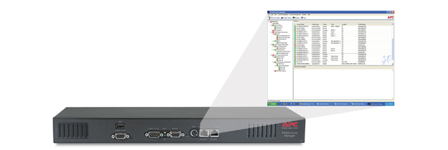
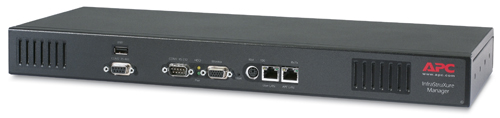
InfraStruXure Manager Appliance is a browser-accessible, user-friendly tool that makes management of your entire APC network-critical physical infrastructure easy. It enables the quick assessment of your present situation and notifies the appropriate personnel should situations that threaten availability occur. Analysis features help you to plan for changes in availability, power, runtime or cooling requirements. Reduce the complexity of your network-critical physical infrastructure by managing your APC devices from a single console or by integrating InfraStruXure Manager into your preferred management system.

Features & Benefits:
| Availability: | |
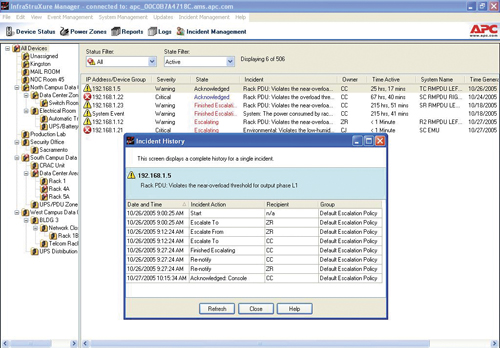
| Centralized Management | A single console outlines the status and health of APC devices on the network and enables you to monitor and configure the entire APC infrastructure. |
| Remote administration | Minimize response times to critical network infrastructure situations with instant, on-demand device access through the primary IP network, console port, or KVM switches. |
| Fault notification | Notification of critical issues via email/pager or SNMP traps (events), ensures crucial situations are dealt with in a timely manner. |
| Power flow diagrams | Generate mimic diagrams showing system layout; see potential problems before they occur. |
| Rack level management | Helps decision-making on where to locate new equipment without overloading branch circuits. Receive notifications of changes in rack power draw. |
| Notification groups | Group devices to ensure the right people receive warnings to prevent and fix potential problems in a timely manner. |
| Agility: | |
| Multi-device support | Manage an extensive range of APC devices including: single-phase and three-phase UPSs, power distribution units, cooling and environmental devices as well as other InfraStruXure® Manager Appliances. |
| Centralized Management | Supporting NetBotz extensibility products like fluid detectors, particle sensors and motion detecting cameras, enabling you to cover the unexpected. |
| Scalable architecture | Scalable up to 1000 APC devices. Easily integrate new devices with additional licenses. |
| Auto-discovery | Speed deployment by specifying remote network segments or an IP address range to discover APC devices. |
| Concurrent deployment and updates | Decrease set-up time and complexity by simultaneously configuring settings or upgrading firmware for multiple devices. |
| Data logging | Identify problematic trends before they escalate or export the data log for analysis. |
| Event logging | Pinpoint the timing and sequence of events leading up to an incident with the event log. |
| Battery status reports | Help prevent problems and pinpoint additional runtime requirements. |
| Private IP network | Manage multiple devices from a single IP address. |
| Total Cost of Ownership: | |
| Browser accessible | View the user interface with a browser. Gives quick access from anywhere on the network without the need to install software. |
| Global threshold alarms | Set standards for select UPSs, PDUs and environmental settings to stay informed of system performance. |
| Recommended actions | Providing descriptions of problems together with recommended actions reduces the need of training, eases deployment and speeds troubleshooting. |
| Scalability | Scalable up to 1,000 APC devices. Easily integrate new devices with additional licenses. |
| Imported Floor Layout View | Integration with InfraStruXure® Designer enables import of the customized, aerial representation of a room layout for ease of navigation and improved monitoring, which minimizes errors and cost. |
| Set-up wizards | Easy to use wizards speed deployment by decreasing set up time. |
| Building Management System Integration | Send alarms and data points allowing you to manage critical building infrastructure from a single system. |
| Enterprise management system compatible | Manage your APC devices from a single system by forwarding SNMP traps (events) to your preferred enterprise management system. |
| Protection: | |
| Password Security | User-selectable password protection. |
| Read-only access | Share access without risking unauthorized configuration changes. |
| Encryption | Helps ensure effective access control and integrity for SSL browser and SSH sessions. |
| Radius support | Use an existing radius server to securely authenticate, authorize, and account for your APC device. |
Documentation:
Download the APC InfraStruXure Manager Manual (PDF).